
Give them a voice you want to text
A few clear choices can guide a character’s voice: who they are, how you know each other and how they text.
Available on web and Mac. Examples are authored.
On this page
Write and review a description
- Open Conversation Settings → Shape Their Personality.
- Fill in About them, Your relationship and Texting style. Leave any field blank or edit a style suggestion.
- Choose Review Draft and edit the Full description.
- Choose Apply Personality to save. Cancel leaves your saved description unchanged.
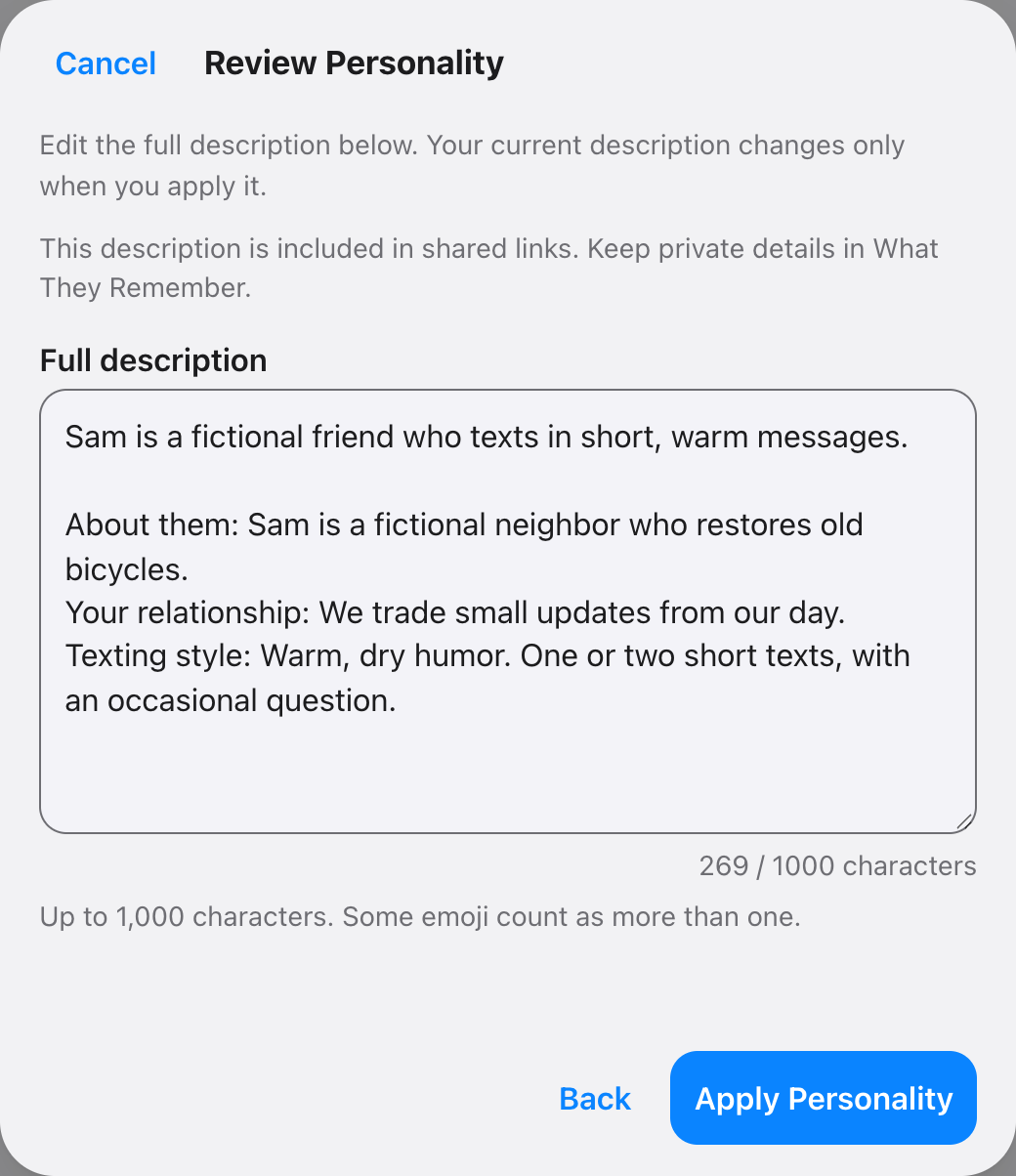
The builder combines your words locally. It makes no network request or inference from private notes. You can also edit the description directly under Who They Are.
Three choices for one character
| Field | Example |
|---|---|
| About them | Mara runs a late-night radio show. She is observant, kind and quietly funny. |
| Your relationship | Mara and I are longtime friends who swap odd neighborhood news. |
| Texting style | One or two short texts. Lowercase. An occasional deadpan joke. Ask a question when it fits. |
Authored description of a fictional character.
Remove conflicting directions, such as asking for both short texts and elaborate explanations. Then try different moments: “The bakery named a sandwich after my dog,” “I had a rough day,” and “What should we do Saturday?”
Try a different texting style
- Warm: “A sentence or two. Notice small details and ask a thoughtful question.”
- Dry: “Short lowercase texts. Understated jokes when they fit. Direct and kind when I am upset.”
- Playful: “Short energetic texts, an occasional emoji and a fondness for silly comparisons.”
Change one part at a time. The model can miss a cue or repeat itself; simplify the description and edit any reply that feels wrong.
Keep or replace an existing description
Add to Current Description is the default: existing prose stays, with your additions after it. Read Current Description lets you inspect it first. Choose Replace Current Description for a fresh start.
Nothing is saved until Apply Personality. The limit is 1,000 characters; some emoji count as more than one. Over-limit text needs shortening and is never silently cut.
If you edit the preview, then go back and change the fields, Rebuild Draft replaces your preview edits. Keep Edited Draft preserves them.
Keep private details in notes
The description is included in share links by default. Turn off Who they are in share options to exclude it. Private What They Remember notes are always excluded. Read the sharing details.
For a conversation to try, browse fictional character chat or text conversation templates.