
Practice texting someone you know
Try out wording in a copy of a Messages conversation. Textmock for Mac summarizes the other person’s texting style and uses it to generate fictional replies. Those replies do not predict what the real person thinks or will say.
Free. macOS 14 or later, with an on-device reply model.
How it works
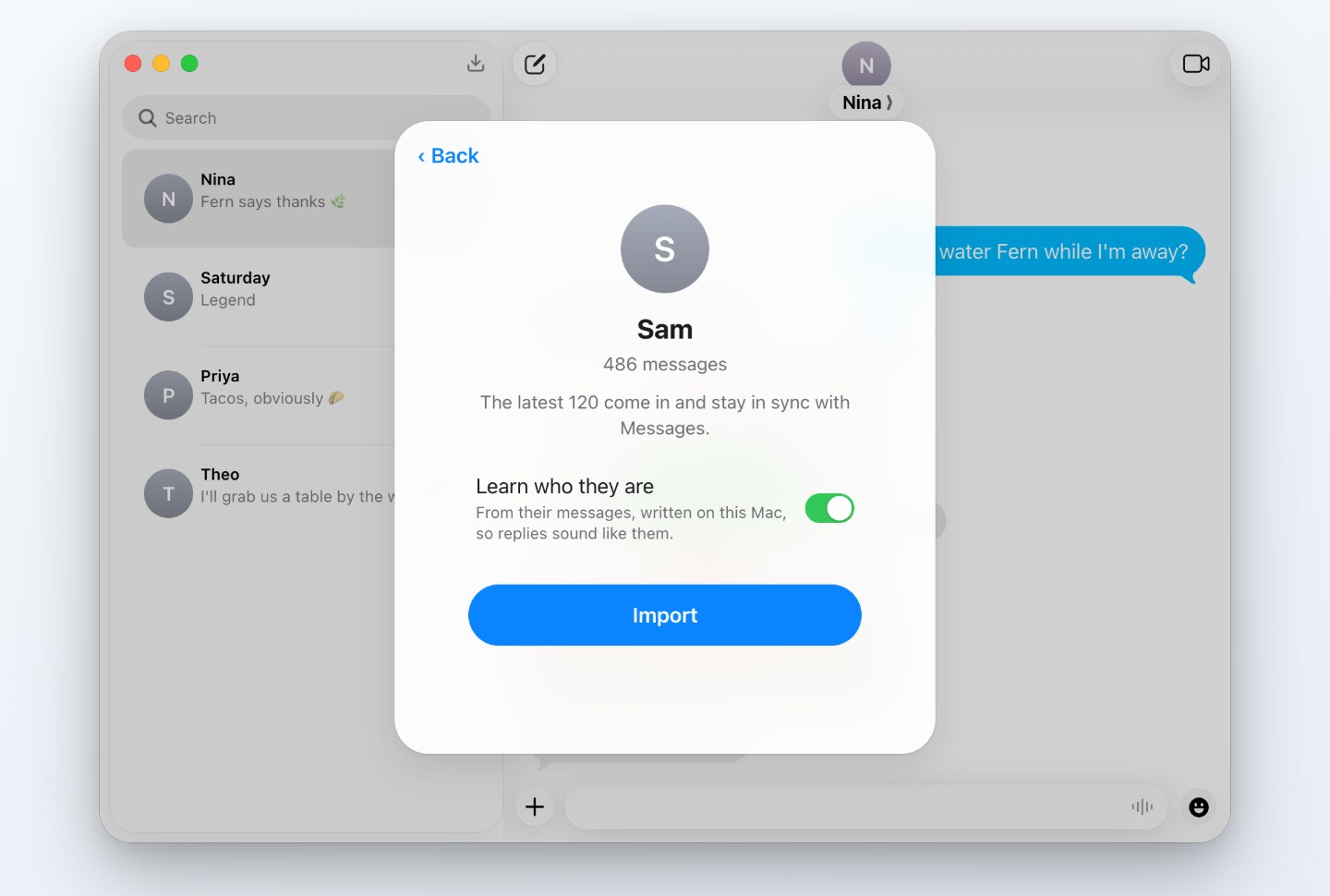
- Download Textmock for Mac and choose Import from Messages.
- Pick the conversation with the person you have in mind and turn on Learn who they are.
- The app makes an editable copy and a description based on the imported texting style. Read and correct it under Who They Are.
- Send a test message to get a fictional reply based on that description.
Use it to work on your wording
Try a few openings
Draft a difficult message in two or three ways. Compare your own wording before deciding what to send.
Read it as an exchange
A fictional response can give you another line to revise. Judge the wording yourself rather than treating the response as someone’s opinion.
Turn it into fiction
Use a familiar texting rhythm as a starting point, then change the names, setting and dialogue for your story.
What the description is based on
Textmock counts patterns such as message length, capitalization, punctuation and emoji. The selected local model also drafts a short description from a sample of the exchange. This guides replies; it does not train a new model of the person.
Read and correct the description under Who They Are. You can change its voice or keep separate private notes. The description is included in share links by default; notes are left out. Review it before sharing.
Local processing and sharing
Importing, drafting the style description and generating replies happen on your Mac. Textmock never changes the original Messages conversation or sends your draft to that person.
A later public-link lookup sends only the address you submit to Textmock and the requested site, with the part after # removed. Your chat, description and notes are not sent. The privacy and sharing guide covers these choices.
Without a Mac
In Textmock on the web, write your own description under Who They Are. Replies need Chrome’s built-in model to be available. The private character chat guide covers this approach without importing Messages.
Questions
What does it need?
The app runs on macOS 14 or later. Replies use Gemma 4, downloaded when you choose, on Apple silicon with 8 GB of memory or more, or Apple Intelligence on a supported Mac with macOS 26 and Apple Intelligence on. Importing needs Full Disk Access, which Textmock asks for and you grant in System Settings.
What if the texting style seems wrong?
Edit Who They Are to correct the description, or write both sides yourself. The imported sample may not represent how the person usually texts, and model replies can still miss the style.
What does it cost?
Ordinary local replies are free. Free use keeps one conversation; Textmock Pro is $5 a month for more conversations and exports without the badge. Mature mode is unavailable for conversations imported from Messages.