
Turn a real iMessage conversation into a video
Textmock for Mac brings a conversation over from Messages and saves it as a video of the texts arriving, one by one. Pick the conversation, trim or edit what you like, and save an MP4 or a clean screenshot.
Free. macOS 14 or later.
How to do it
- Download Textmock for Mac and open it.
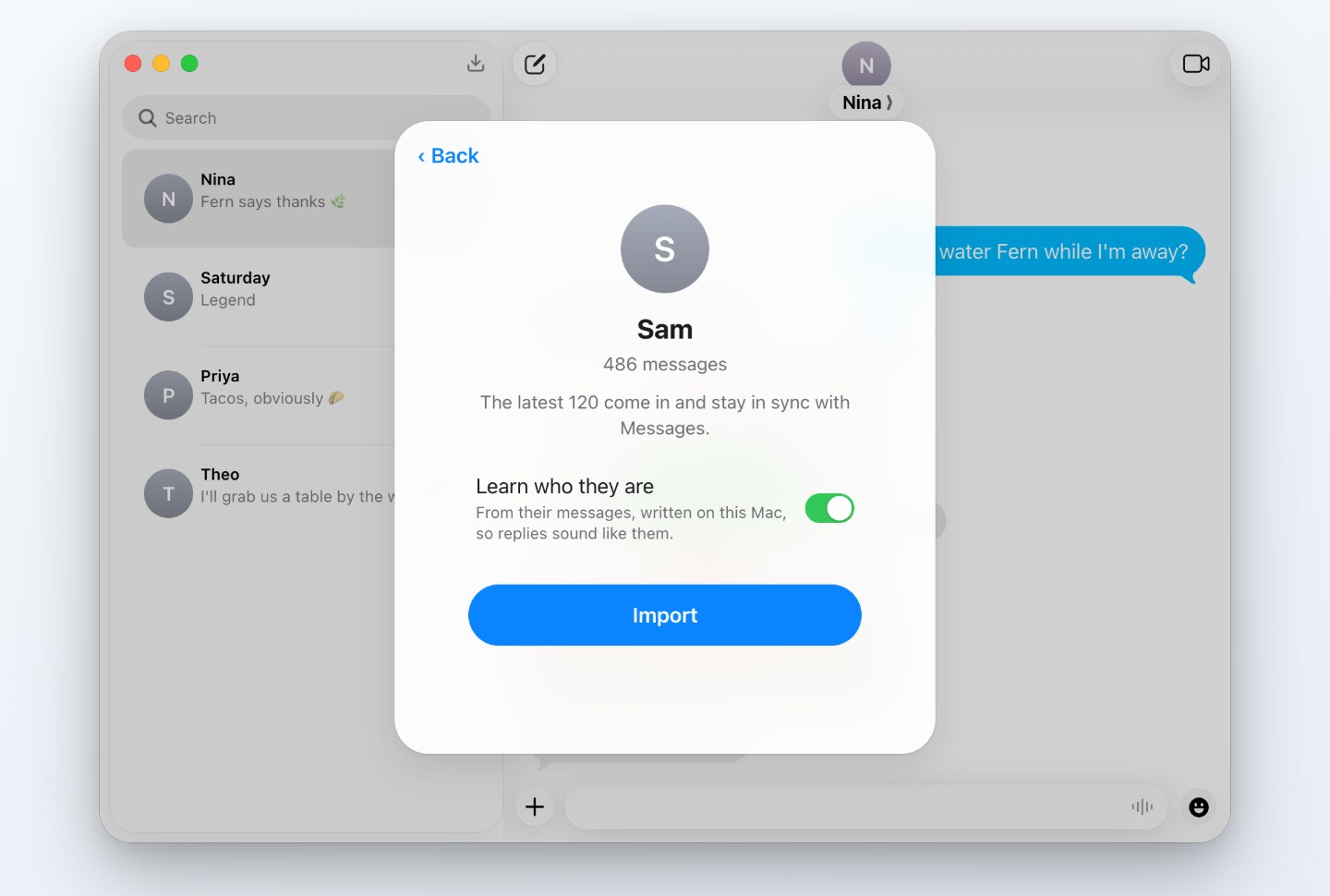
- Choose Import from Messages. The first time, Textmock asks for Full Disk Access and opens the setting for you.
- Search for a conversation and pick it. Textmock copies its latest 120 messages into the editor.
- Open the menu at the top right and choose Make Video for an MP4 of the conversation playing out, or Save Image for a screenshot of the part you’ve scrolled to.
What comes over
Messages and attribution
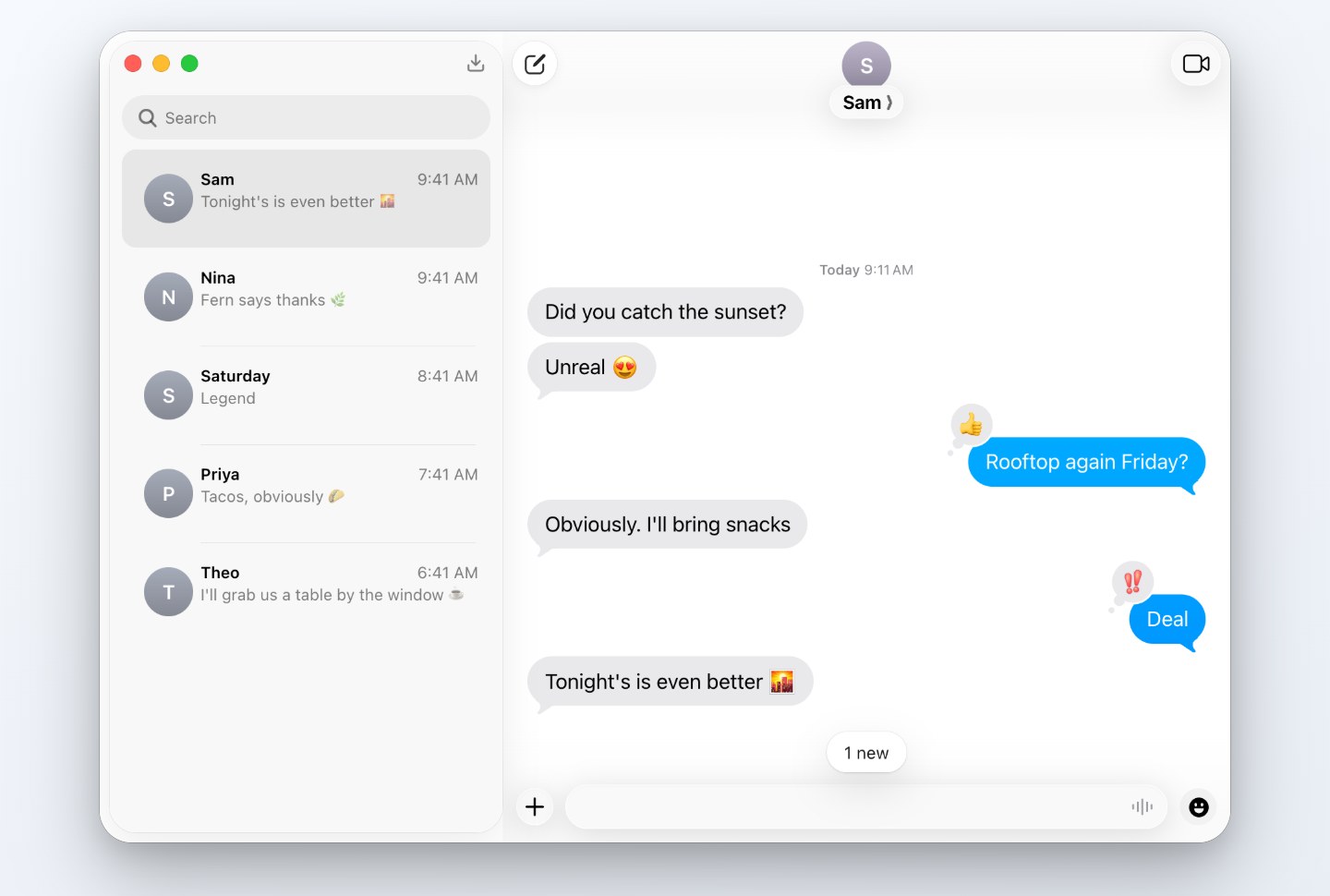
The copy includes blue or green bubbles, sender names, time labels, tapbacks and supported inline replies.
Photos and link previews
Photos come over with the messages, and links keep the preview cards Messages stored for them.
Group chats
Groups of up to eight other people, each sender named.
Edit before sharing
Remove names or messages you do not want to show. Changes affect the copy, not Apple Messages.
Sync when you choose
Sync with Messages brings in new texts while preserving edits to the imported copy.
Share a copy
A share link can be opened by anyone who has the complete address. Review the conversation before sharing it.
Choose a video or a still
Make Video animates the copy with typing and sounds; it does not recreate the original timing. The video guide covers upright and square MP4 exports. Save Image exports the part of the thread you have scrolled to as a PNG.
Importing and permissions
Importing and syncing read Messages locally without changing it. Contacts permission is optional: allow it for names, or decline and see numbers.
A later public-link lookup sends only the address you submit to Textmock and the requested site, with the part after # removed. It does not send your chat or notes. See the privacy and sharing guide.
For a rehearsal, you can also try fictional replies based on the imported texting style. Nothing is sent to the real person.
Questions
Why does it need Full Disk Access?
macOS keeps Messages where only apps with Full Disk Access can read it. Textmock asks when you first import and works without it for everything else.
Does exporting cost anything?
Free use keeps one conversation and adds a small textmock.com badge to images and videos. Textmock Pro is $5 a month for more conversations and exports without the badge.
Can I do this on an iPhone?
Importing reads the Messages database on a Mac. Conversations from your iPhone are there when Messages in iCloud is on.