
Choose what your character remembers
Save a preference, an inside joke or where your story paused. You choose every note and can change it later.
Available on web and Mac.
On this page
Save a detail
- Open a text message’s options and choose Remember This.
- Your first note saves immediately. If you already have notes, choose Add a New Note or Replace This Note beside an old one.
- To edit it, open Conversation Settings → What They Remember. Add a Note lets you write one directly.
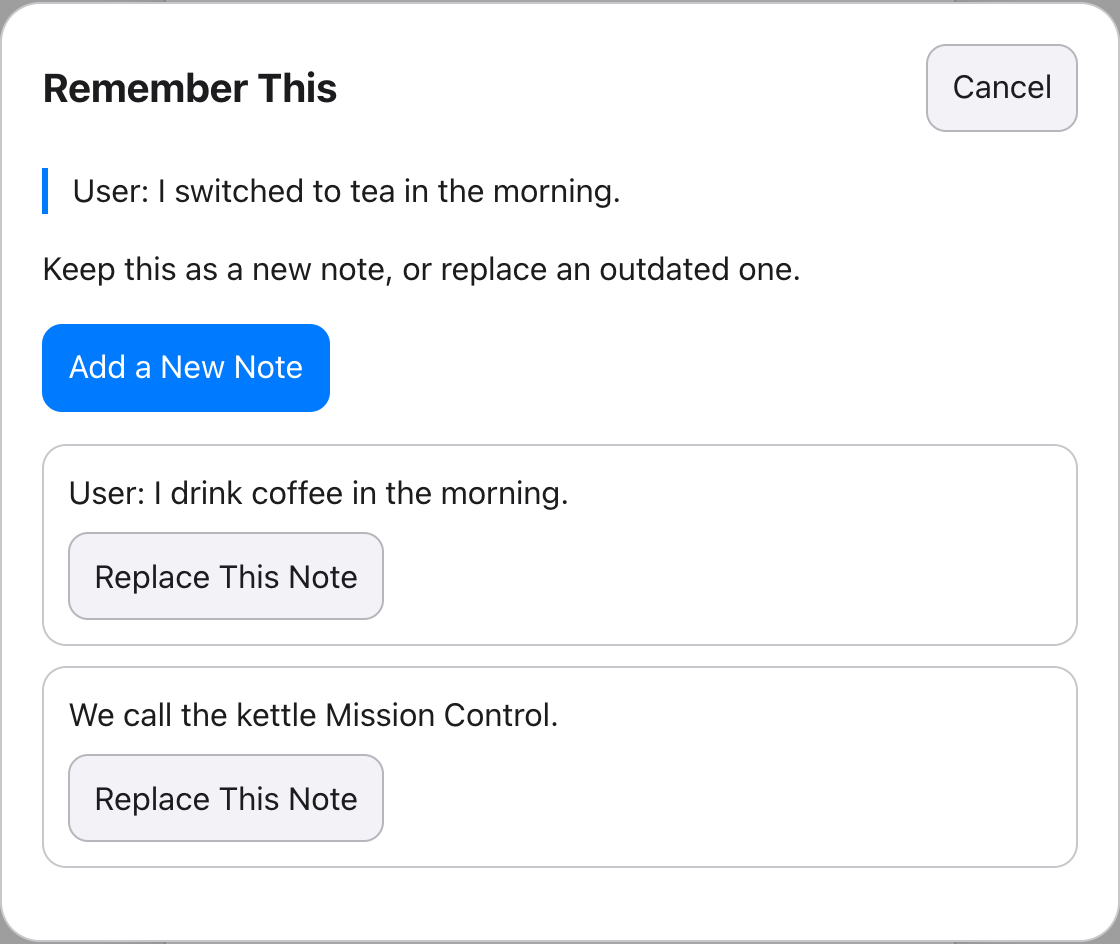
Remember This saves the speaker and message text. Long messages are shortened with an ellipsis and a notice; edit the note if it loses something useful. Notes are never added automatically.
Update the preference, keep the joke
| Detail | Before | After |
|---|---|---|
| Preference | I drink coffee in the morning. | I switched to tea in the morning. |
| Inside joke | We call the kettle Mission Control. | We call the kettle Mission Control. |
Authored example. Separate notes let you change one detail without losing another.
Choose Remember This on the tea message, then Replace This Note beside the coffee note. Or edit it directly in settings. Remove any duplicate that still says coffee.
Keep notes clear and specific
Each conversation holds 16 notes of up to 240 characters each. When full, you choose what to replace or remove; nothing is discarded automatically.
“In our story, the spare key is under the blue flowerpot” is clearer than “Remember where we left it.” Notes stay in this conversation. Use the personality description for the character’s identity and texting style.
Removing a note leaves the messages
Remove a note in What They Remember, or use Clear Notes when several exist. This does not erase the original messages.
The model also reads recent messages and selected older passages, so it may still encounter the detail there. Review those messages when correcting the conversation.
Saved notes can be missed, and replies can invent facts. Edit a wrong reply and check the next one. Our small memory study shows both useful corrections and failures.
Notes stay out of shares
Notes stay on your device and are excluded from share links, excerpts and agent documents. Selected messages and the character description can still share the same detail if you wrote it there. See what leaves your device or the character-chat overview.