
Texts that look real. Characters who text back.
Write a conversation that looks like iMessage and save it as an image or a video. Or pick a character and text them: private AI on your device writes the replies.
Start without an account. On the web and Mac.
Pick someone to text
Choose a starter character or describe your own. Replies are generated on your device.
- RileyYour biggest fan. Hypes up everything you do.tell me one good thing from today, i need something to celebrate 🎉Text Riley →
- MaxYour older brother. Dry, sarcastic, secretly proud of you.what did you break this timeText Max →
- GrandmaNew to texting. Signs every message.Have you eaten today? Love, GrandmaText Grandma →
- Game MasterRuns a short text adventure. You choose what happens.Do you row for the lantern, or look over the side?Text Game Master →
- Coach RobinCalm and practical. Plan your day or rehearse a hard conversation.Or, if there’s a conversation you’ve been dreading, we can practice it here first.Text Coach Robin →
- BiscuitA grumpy cat who somehow texts. Wants dinner.the bowl is half empty. explain.Text Biscuit →
Replies need a supported model in Chrome or the Mac app. How private AI chat works
Keep the inside jokes
Keep a tea order or a running joke with Remember This. In the web editor and Mac app, you can read, edit or remove those notes in Conversation Settings.
Notes belong to one conversation and stay out of share links. The model uses relevant notes and messages; recall can miss details.
Authored example conversation. Recall and reply wording vary by model and context.
Or write both sides yourself
The phone is the editor. Tap a message, a name or the clock and type. Add photos, reactions, read receipts, group chats and green bubbles.
Save an image or a video
A PNG at the phone’s full resolution, or an MP4 of the conversation arriving message by message, upright for TikTok, Reels and Shorts.
On a Mac, start from your real texts
Import an editable copy from Messages, then sync new texts when you choose. Save a video or try fictional replies based on the other person’s texting style. Importing and reply generation happen on your Mac.
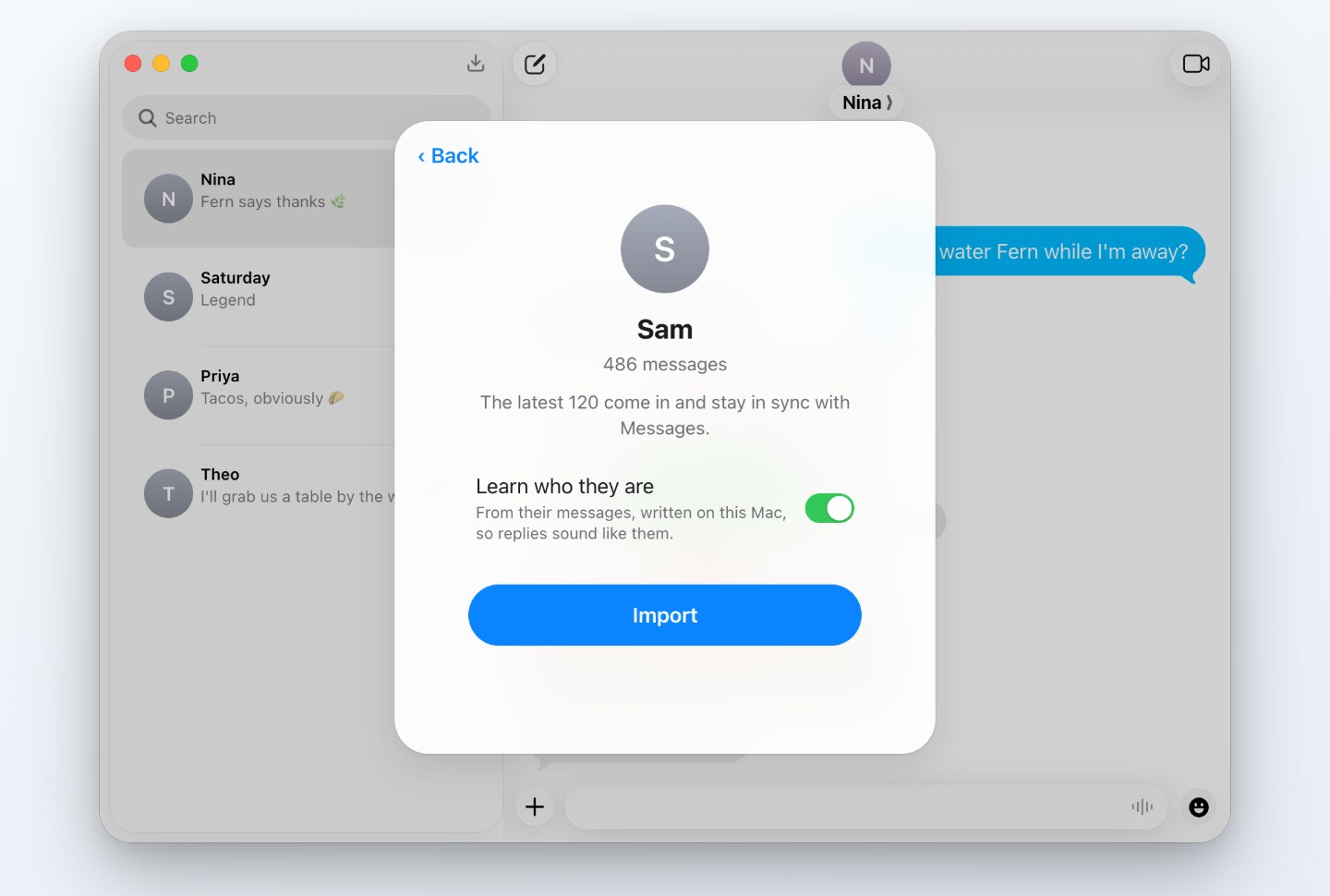
Your conversation stays on your device
Editing, reply generation and exports happen locally. A share link gives its recipient a copy; an optional lookup sends only the query or public address you submit. Read where chat data goes or the privacy policy for the network requests and sharing details.
Free, or $5 a month
Free use includes editing, exports and ordinary replies, with one saved conversation and a small badge on exports. Pro removes the badge and keeps more conversations. See pricing for the Mac mature-mode conditions, account details and cancellation.
Questions
Is Textmock part of Apple Messages?
Textmock is a separate app for writing iMessage-style conversations. It does not send messages through Apple Messages or to the people depicted in a conversation.
Where does Textmock work?
The editor runs in modern browsers. Local AI replies need a supported model; editing works without one. The Mac app can also import from Messages.
Who makes Textmock?
Textmock is an independent product from Hraness. iMessage and iPhone are trademarks of Apple Inc.
Start a conversation
Free, on the web and Mac.