
Practice texting someone you know
Textmock for Mac turns a conversation from Messages into a simulator of the person on the other end. It learns how they text from the messages already on your Mac, then answers yours the way they would. Nothing is uploaded, and the real conversation is never touched.
Free. macOS 26 with Apple Intelligence.
How it works
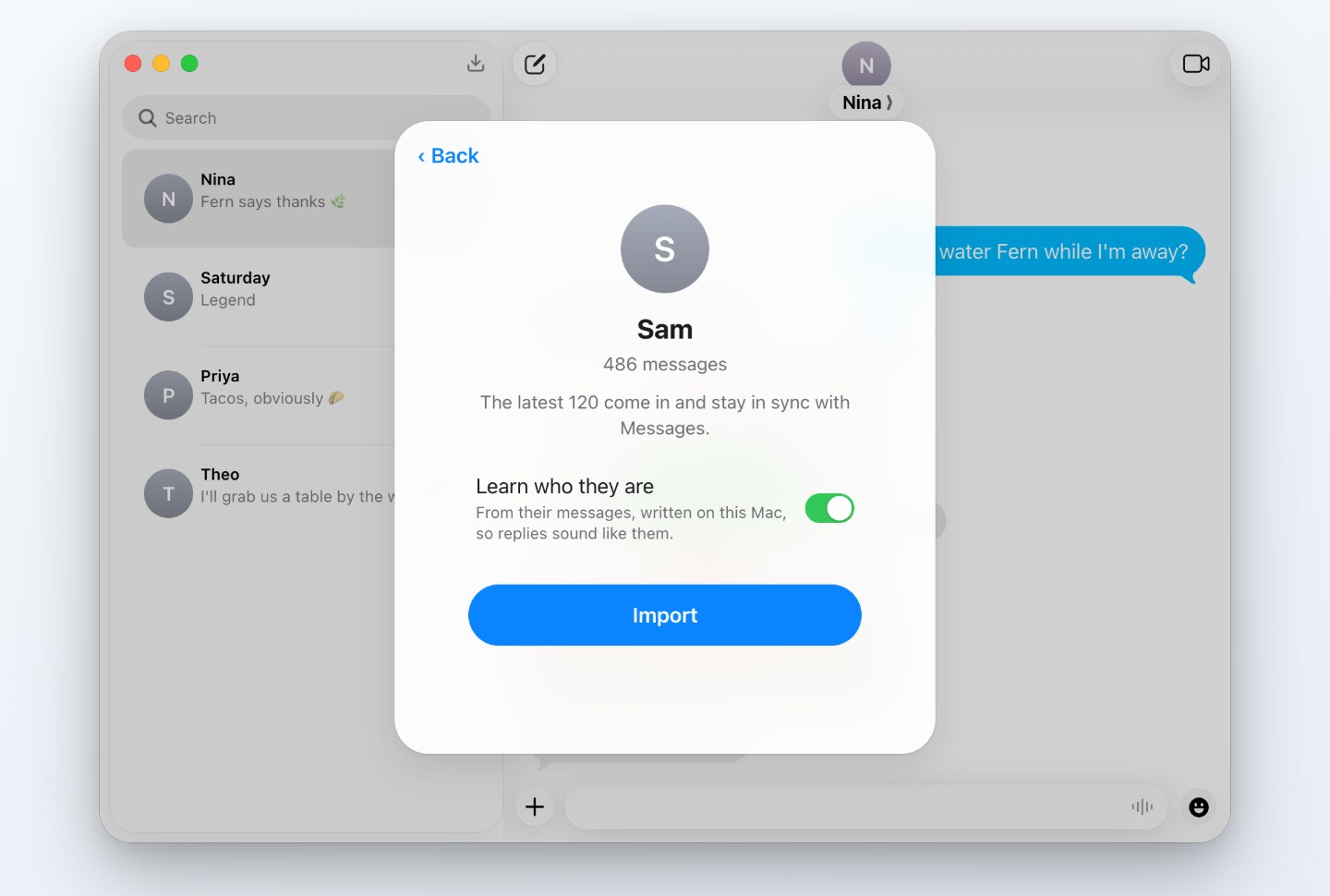
- Download Textmock for Mac and choose Import from Messages.
- Pick the conversation with the person you have in mind and turn on Learn who they are.
- Textmock reads how they text, on your Mac, and brings the conversation in as an editable copy.
- Send a message. The reply comes back in their voice: their length, their punctuation, their emoji.
What people use it for
Rehearse a hard conversation
Telling a parent you’re moving, asking for the raise, ending it kindly. Try three openings and see which one lands.
Find the wording
Draft the apology or the invitation and read how it might be received before you send the real one.
Get unstuck
When you’ve been staring at a text for an hour, a reply in their voice is often enough to know what to say next.
Write them into a story
Your group chat makes better dialogue than anything invented. Start from how your friends really talk.
What it learns, and where
Textmock counts how the person writes: how long their texts run, whether they write in lowercase, how they punctuate, how they laugh, which emoji they reach for, whether they send several texts in a row. Apple Intelligence then writes a few lines about who they are to you. Both stay in the conversation’s settings under Who They Are, where you can read and rewrite them.
All of it happens on your Mac. Messages is read only when you import, it is never changed, and the description holds no quotes from their texts.
On your Mac, not on a server
| Textmock for Mac | Upload-based apps such as TextMyEx | |
|---|---|---|
| Where your messages go | Nowhere. They are read on your Mac | Uploaded to the service as chat logs |
| Price | Free with one conversation; $5 a month for more | $5 a week or $8 a month |
TextMyEx details from its App Store listing, checked on 12 November 2026. Textmock is not affiliated with it.
Without a Mac
On the web, describe the person yourself. Open Textmock in Chrome on a computer, tap the name at the top and write who they are and how they text under Who They Are. Replies are written by Chrome’s built-in model, on your computer. See private AI character chat.
Questions
Is there an app to practice a text conversation?
Yes. Textmock for Mac imports a conversation from Messages, learns how the other person texts and replies in their voice, so you can try what you want to say before sending it.
Are my messages uploaded?
No. Textmock reads Messages on your Mac, and the model that writes replies runs on your Mac. Nothing it reads is sent anywhere.
Does it change my real conversation?
No. Textmock makes its own copy and never writes to Messages. Nothing you type in Textmock is sent to the real person.
What does it need?
A Mac with macOS 26 and Apple Intelligence on. Importing needs Full Disk Access, which Textmock asks for and you grant in System Settings.
How close are the replies?
They follow the person’s texting style and the recent conversation: length, punctuation, emoji, and what you were talking about. The model writes short texts the way a person does.
Can I edit what it learned?
Yes. The description is plain text under Who They Are. Change it and the replies change with it.